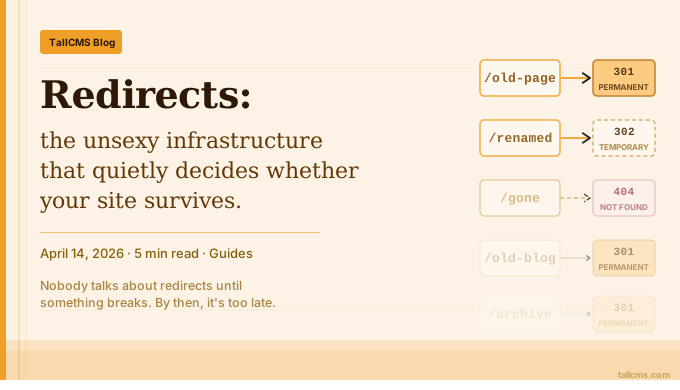
Redirects: the unsexy infrastructure that quietly decides whether your site survives
Redirects are the plumbing of the web. When they work, nobody notices. When they don't, everything downstream rots — search rankings drop, referral traffic disappears, marketing campaigns send users to dead pages, and the support inbox fills up with "this link doesn't work" complaints.
Most teams treat redirects as an afterthought. They shouldn't. A small redirect map, kept up to date over years, is one of the highest-leverage investments a website can make.
What redirects actually preserve
When you change a URL, you're not just changing a string. You're breaking:
Search rankings — Google has indexed the old URL and accumulated ranking signals for it. Without a 301, those signals reset to zero.
Backlinks — every external site that links to the old URL now links to a 404. Each broken link is lost referral traffic and lost SEO equity.
Bookmarks — users who saved the page get a dead end and may not bother searching for the new URL.
Marketing collateral — every email, business card, ad, PDF, and printed brochure pointing to the old URL is now sending people nowhere.
Social shares — old tweets, LinkedIn posts, and forum threads all carry the old URL forever.
A 301 redirect tells everyone — search engines, browsers, link checkers — that the page has moved permanently. Search engines transfer the ranking signals. Browsers update bookmarks. Link checkers stop reporting it as broken. The old URL keeps doing useful work instead of becoming digital litter.
301 vs 302: get this right
This trips up almost everyone:
301 (Permanent) — the page has moved forever. Use this for renames, restructures, and migrations. Search engines transfer link equity.
302 (Temporary) — the page is temporarily elsewhere. Use this for maintenance pages, A/B tests, or seasonal redirects. Search engines keep indexing the original URL.
If you redirect a renamed page with a 302, Google will keep showing the old URL in search results indefinitely, and your new URL will struggle to rank. This is one of the most common — and most expensive — SEO mistakes.
When in doubt, use 301. The only reason to use 302 is if you genuinely plan to bring the original URL back.
When redirects matter most
Three moments stand out:
Site migrations
Moving from WordPress to a new platform? From a /blog/2024/01/post-title URL structure to /blog/post-title? From example.com to example.io?
Without a complete redirect map, you're starting from zero. Every URL that ever ranked, every backlink ever earned, every share ever made — gone. Teams routinely lose 30-50% of their organic traffic in a botched migration, and most of that loss is unnecessary. It's redirect hygiene.
Content reorganisation
Renaming a service, restructuring your blog into categories, consolidating two pages into one. These small changes happen constantly. Each one needs a redirect, or you're slowly bleeding traffic and link equity.
A discipline worth building: every time you rename or delete a URL, the next action is creating the redirect. Not "later." Not "when we have time." Same commit, same task, same hour.
Fixing broken incoming links
Sometimes external sites link to slightly wrong URLs — a typo, a missing trailing slash, an old slug they remember. Check your 404 logs or Search Console regularly. Each broken inbound link is a quick redirect away from being recovered traffic.
Why most redirect setups fail
The pattern is the same everywhere:
Redirects live in
.htaccessor Nginx config that only DevOps can touchOr they live in a spreadsheet that nobody updates
Or they're scattered across a dozen plugins, middleware, and ad-hoc scripts
Or — most common — they don't exist at all, and the team only notices after rankings have already dropped
The teams that get this right share three traits:
Redirects are managed where content is managed. The same person who renames a page should be able to create the redirect. No deploys, no engineering tickets, no spreadsheets.
Redirects are auditable. You can see what's active, what's been hit recently, and what can be deleted. Stale redirects accumulate cost over time — they slow lookups and create maintenance burden.
Redirects are protected from common mistakes. Self-loops, infinite chains, and conflicting rules should be impossible to create, not just discouraged in a wiki page.
How TallCMS handles this
TallCMS ships a free Redirect Manager plugin that follows all three principles above.
You manage redirects from the same admin panel where you manage pages and posts — no config files, no deploys. Each redirect tracks its hit count and last-hit timestamp, so you can see at a glance which ones are doing real work and which are safe to delete. Self-redirects and trivial loops are blocked at creation time, and the runtime middleware refuses to execute a self-redirect even if one somehow lands in the database.
Performance stays flat regardless of how many redirects you have. The plugin loads all active rules into memory once per hour and serves matches via O(1) hash lookups. The cache invalidates automatically when you create, edit, or delete a redirect — there's no manual flush step.
To install:
# In your TallCMS plugins directory
git clone https://github.com/tallcms/redirect-manager-plugin.git plugins/tallcms/redirect-manager
php artisan cache:clear
php artisan migrate
Then go to Admin > Configuration > Redirects and start treating your URL changes as the infrastructure work they actually are.
Redirects won't make your site faster, prettier, or easier to use. They just stop you from quietly losing what you've already earned. That's the deal: boring infrastructure that protects compounding value. Skip it, and the bill comes due eventually — usually right after a migration, restructure, or rename, when nobody can figure out why the traffic graph is heading the wrong direction.
Don't skip it.
Get the plugin
Free, MIT-licensed. Star the repo, file an issue, or contribute a feature.
Comments
No comments yet. Be the first to share your thoughts!