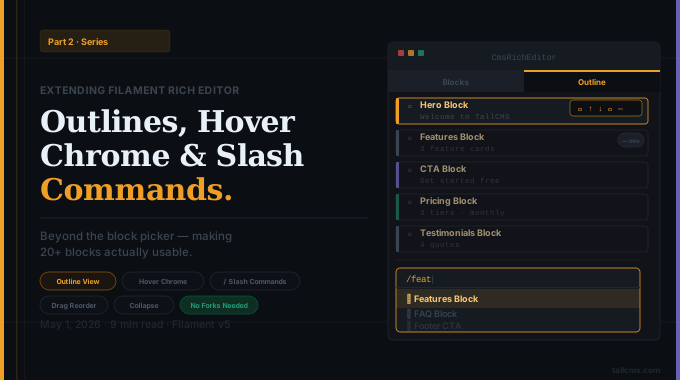
Extending Filament Rich Editor Part 2
Beyond the Block Picker: Outlines, Hover Chrome, and Slash Commands for Filament v5's Rich Editor
A few weeks ago we shared how to turn Filament v5's RichEditor into a full block editor. That post was about making custom blocks possible. This one is about making them usable when you have too many blocks Here's what we shipped — and the architecture decisions behind each piece.
The original post covered the foundation: extending RichEditor, auto-discovering blocks, adding categories and search. It got us to "the editor supports rich blocks." Within months, our editors hit the next wall: managing pages with 20+ blocks on them.
The pain wasn't insertion anymore — the picker was great. It was everything else: scrolling past a Hero block to grab a CTA below it, dragging a Features block from position 12 to position 2, or just trying to see the structure of a long page at a glance. Filament's RichEditor gives you the editing primitive. Once you're using it heavily, you need a layer of navigation on top.
So we shipped Phase 2 — six PRs, all extending Filament's editor without touching its internals. Same constraint as before: no forks, no monkey-patches. Here's what we built and why.
Problem 1: The Block Panel Scrolls Away
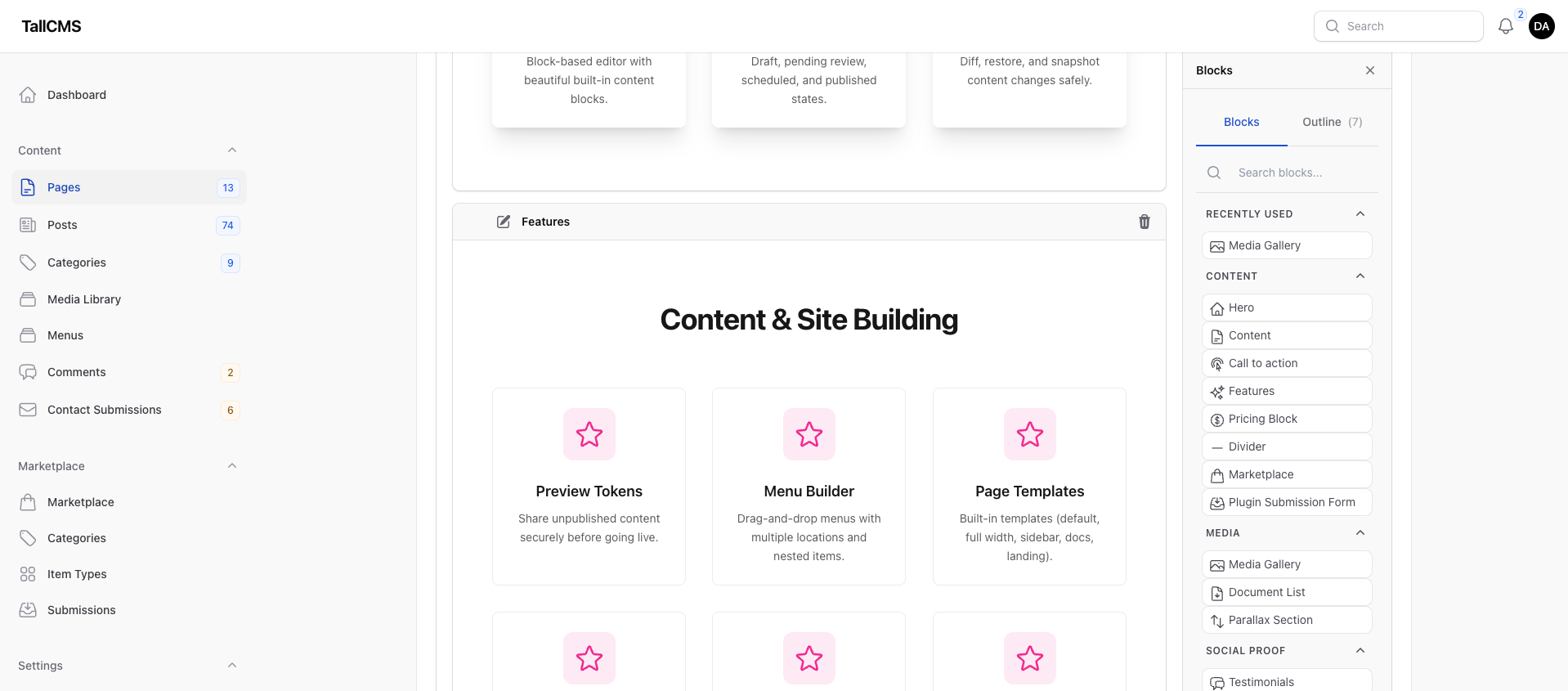
By default Filament's RichEditor side panel scrolls with the document. On a long page, the picker is gone the moment you scroll past the second viewport.
The fix sounds trivial — position: sticky on the panel. The catch: sticky needs the right scroll-context ancestor, and Filament's panel is display: grid with implicit auto-sized columns, which means content can force the grid wider than the container. We forced the panel to display: flex; min-width: 0, then sticky-positioned it with a CSS custom property for the topbar offset:
.fi-fo-rich-editor {
    --tallcms-editor-sticky-offset: 4rem;  /* dock below your topbar */
}
We wrapped the whole rule in @media (min-width: 1024px) from the start — sticky panels on narrow viewports create trapped-scroll where neither the panel nor the page scrolls cleanly. Worth knowing if you build similar UI.
Problem 2: Drag-Reorder Fights You at Scale
Filament's customBlock node ships with draggable: true — the entire block is a drag target. That's fine for compact blocks. For a Hero or Features block that occupies most of the viewport, the drag target is 800 pixels of preview content. Your cursor lands inside the block instead of on a handle, and dragging accidentally selects text.
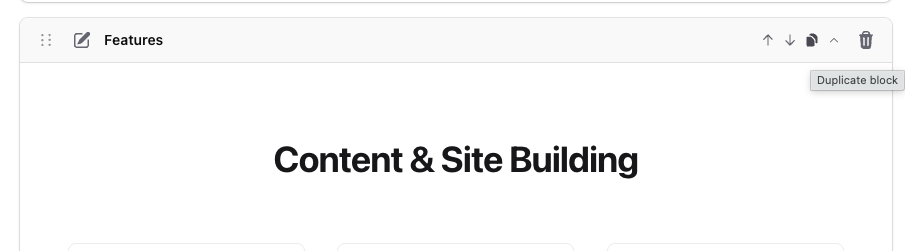
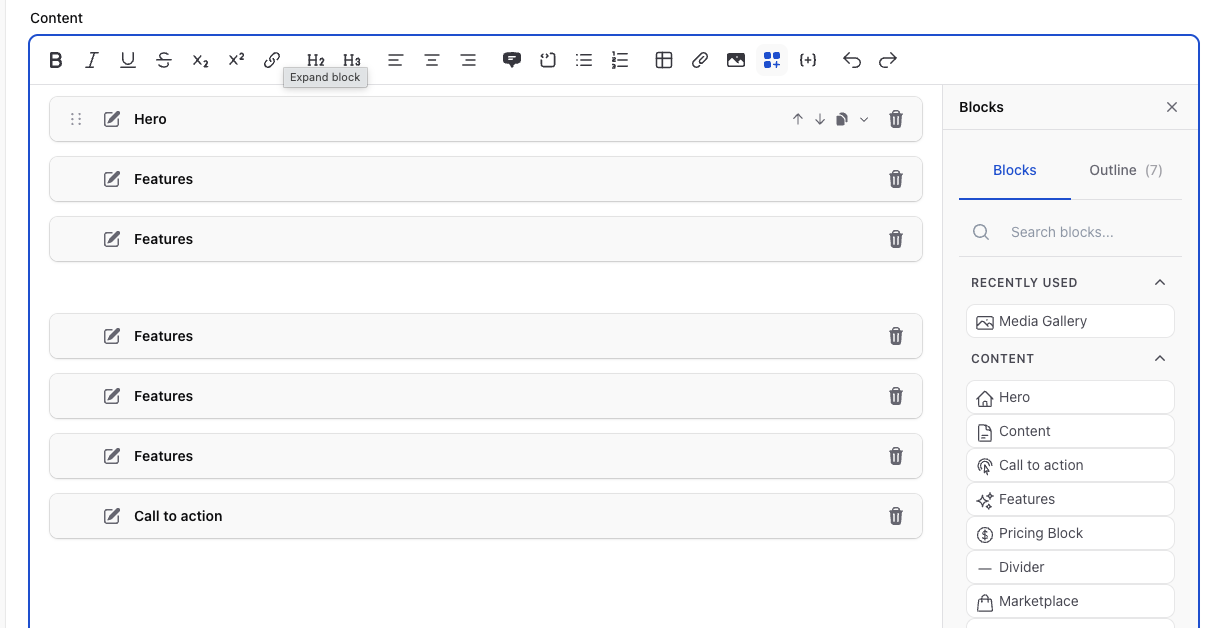
We added a per-block hover chrome row: a small drag handle on the left, plus ↑ / ↓ / duplicate / collapse buttons. They fade in on hover, calm at rest. The handle is additive — Filament's existing whole-block drag still works. Replacing Filament's NodeView would have meant maintaining a fork on every Filament update; injecting alongside is reversible.
The chrome is injected by a MutationObserver that lives inside a ProseMirror Plugin.view() — anchored to the editor's lifecycle, not global DOM hunting:
addProseMirrorPlugins() {
    const editor = this.editor
    return [
        new Plugin({
            view(editorView) {
                return new BlockChromeView(editorView, editor)
            },
        }),
    ]
}
That editor reference comes from the closure, so the click handlers can call our custom commands directly:
upBtn.onClick = () => {
    const pos = findTopLevelCustomBlockPos(view, blockDom)
    if (pos === -1) return
    editor.commands.moveCustomBlockUp(pos)
}
Problem 3: No Document Overview
The biggest pain on long pages: you can't see the structure. WordPress has its List View. Notion has the outline panel. Webflow has the Navigator. Filament's RichEditor has none of those.
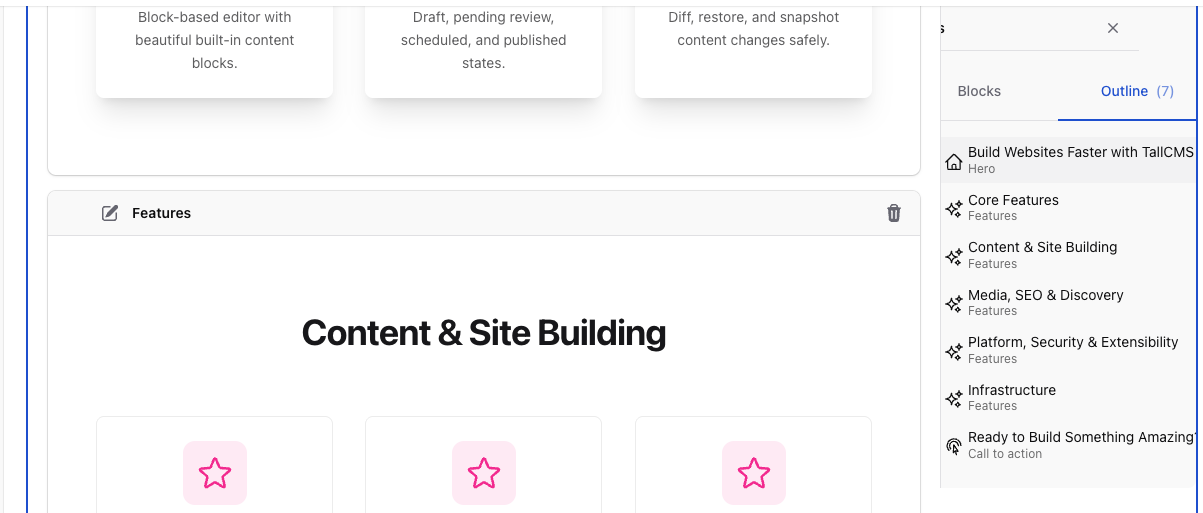
We added a second tab to the existing side panel — Blocks | Outline. The Outline tab is a live, drag-reorderable list of every customBlock in the document. Click an entry to scroll the editor to that block; drag the handle (SortableJS) to reorder.
The architectural decision worth flagging: the outline data flows via a scoped DOM event, not a direct reference. Our TipTap extension's ProseMirror plugin emits cms-block-outline-changed on editor.dom whenever the doc changes; the Alpine panel listens via closest('.fi-fo-rich-editor'):
// Inside the TipTap extension
update(_view, prevState) {
    if (this.view.state.doc !== prevState.doc) {
        this.view.dom.dispatchEvent(new CustomEvent('cms-block-outline-changed', {
            detail: { items: collectOutlineItems(this.view.state.doc) },
            bubbles: true,
        }))
    }
}
// Inside the Alpine panel
const wrapper = this.$el.closest('.fi-fo-rich-editor')
wrapper.addEventListener('cms-block-outline-changed', (event) => {
this.outlineItems = event.detail?.items ?? []
})The panel never holds a reference to the TipTap editor instance. Multiple editors on a page can't cross-talk. The coupling is event-shaped and easy to reason about.
For drag-reorder we added one more TipTap command:
moveCustomBlockTo: (fromPos, toIndex) => ({ tr, state, dispatch }) => { /* ... */ }Treating customBlocks as a flat ordered sequence (paragraphs in between don't count toward the index) — because the user only sees customBlocks in the outline. The whole reorder dispatches in one transaction, so undo is one step.
Problem 4: 800px Blocks Make the Editor Look Like a Wall
Even with reorder solved, scrolling through a long document of fully-rendered Hero / Features / Pricing previews is exhausting. We added a fifth chrome button: collapse. Click it, the preview hides, the header stays visible (still draggable, editable, deletable). A collapsed Hero is one row tall.
Implementation is one CSS rule:
.fi-cms-block-collapsed .fi-fo-rich-editor-custom-block-preview {
    display: none;
}
State persists across panel switches because the class lives on a DOM element that stays mounted; resets on page reload. We deliberately kept it opt-in — a "Structure mode" toggle that auto-collapses tall blocks is the obvious next step, but we wanted to see how manual collapse felt before adding smart defaults.
Problem 5: Power Users Want Keyboard Insertion
Once your editors know the editor well, the side panel is friction. Notion's / trigger has trained an entire generation of writers — they expect it everywhere now.
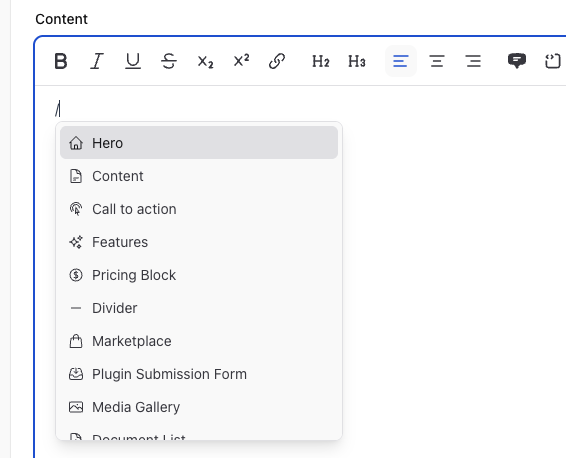
We added a third ProseMirror plugin to the same TipTap extension: SlashCommandView. It detects /<query> immediately before the cursor (after whitespace or at line start, never inside an atom node), shows a floating popup positioned via view.coordsAtPos, and reuses the same searchable field already computed server-side for the picker. Arrow keys + Enter inserts; Escape or click-away dismisses.
The popup is a regular DOM element appended to document.body and positioned in JS. No tippy, no Floating UI — just view.coordsAtPos(triggerStart) on each update. ~150 lines including keyboard handling.
The selection flow goes through the same Filament action modal as picker clicks:
select() {
    const item = this.items[this.activeIndex]
    const { from, to } = this.range

    // Delete the /query text in the same tick
    this.view.dispatch(this.view.state.tr.delete(from, to))

    // Defer the dispatch so Filament's reactive editorSelection updates
    // before the panel reads it.
    queueMicrotask(() => {
        this.view.dom.dispatchEvent(new CustomEvent('cms-slash-insert', {
            detail: { blockId: item.id },
            bubbles: true,
        }))
    })

    this.close()
}
The Alpine panel listens for cms-slash-insert and calls insertBlock(blockId, editorSelection) — exactly the same code path picker clicks use. Same modal opens, same insertion runs.
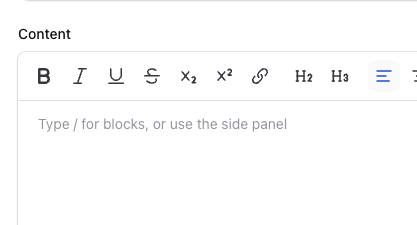
For discoverability, we set a default placeholder on CmsRichEditor:
$this->placeholder('Type / for blocks, or use the side panel');TipTap's Placeholder shows on the first empty node only, so a fresh editor greets newcomers without nagging anyone with content.
The Architectural Through-Line
Three ProseMirror plugins, one TipTap extension, one Filament plugin. That's the whole structure:
BlockChromePlugin (Filament RichContentPlugin)
  └── cmsBlockChrome (TipTap Extension)
        ├── BlockChromeView      ← per-block hover chrome
        ├── OutlineSyncView      ← outline tab data + actions
        └── SlashCommandView     ← / trigger menu
The bundled JS is ~198KB (ProseMirror + TipTap core + SortableJS + our code). It loads only when an editor is on the page, via Js::make('block-chrome', $path)->loadedOnRequest(). Pages without an editor pay zero.
Filament's plugin system surfaces this cleanly:
class BlockChromePlugin implements RichContentPlugin
{
    public function getTipTapJsExtensions(): array
    {
        return [FilamentAsset::getScriptSrc('block-chrome', 'tallcms/cms')];
    }
}
That's it. The extension URL is loaded as an ES module by Filament's editor at runtime; the default-exported TipTap Extension is merged into the editor's extension list. No core changes required.
What We Deliberately Didn't Do
Didn't replace Filament's customBlock NodeView. Injecting via MutationObserver alongside is uglier in the abstract but reversible. NodeView replacement means maintaining a fork.
Didn't add tippy.js or Floating UI. Custom positioning via
view.coordsAtPoswas 5 lines and one less dependency.Didn't make collapse the default for tall blocks. Smart defaults are tempting; opt-in lets us actually observe usage first.
Didn't bundle Sortable globally. It piggybacks on the same on-request asset, exposed via
window.tallcmsSortableso the inline Alpine code can find it without a build step.
Key Takeaways
If you're building heavy content workflows on Filament's RichEditor:
Sticky-panel UI needs
min-width: 0on Filament's grid panel. The defaultautominimum lets content force the panel wider than its container.Inject UI via
Plugin.view(), not global DOM watchers. You get the editor instance via closure, lifecycle is automatic, and the cleanup story is real.Cross-component coupling should be event-shaped. Outline ↔ panel via
editor.domevents means no shared state, no instance references, no cross-talk between editors.Reorder commands take explicit positions, not array indexes. Resolve from DOM at click time so commands survive intermediate edits.
Single transactions per user action. One drag = one undo step. ProseMirror lets you chain multiple steps inside
tr.*()calls before dispatching once.Load editor JS on-request. A 198KB bundle is fine when only editor pages pay for it.
Filament v5's plugin architecture is doing real work here. We added a Notion-style outline, slash commands, hover chrome, and collapse — without touching a single Filament file. If you're hitting the same scaling pain we did, the pattern is reproducible.
If this is useful, consider starring the repo 👉 https://github.com/tallcms/tallcms/
Want to see this in action? It's all live in TallCMS v4.5.0. Source for the TipTap extension is in packages/tallcms/cms/resources/js/block-chrome.js on GitHub.
Comments
No comments yet. Be the first to share your thoughts!