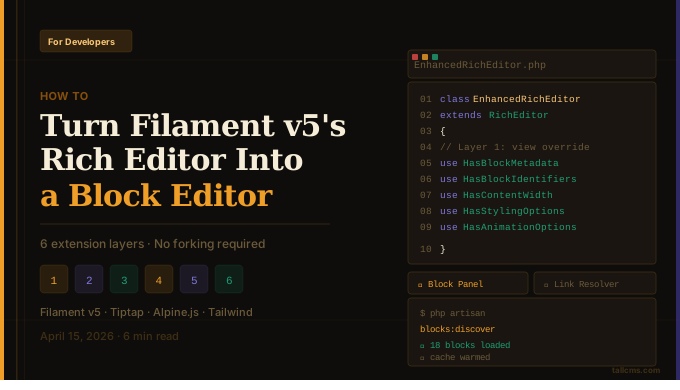
How to Turn Filament v5's Rich Editor Into a Full Block Editor
Filament v5's RichEditor is powerful out of the box. It is built on Tiptap, which means it's natively extensible, and it now supports *custom blocks out of the box . Here's how to extend it into a categorized, searchable block editor — without forking a single line of Filament core.
With the release of Filament v5, one of the biggest improvements is the switch to a Tiptap-powered Rich Editor which means it's natively extensible, and crucially it now supports custom blocks out of the box via the RichContentCustomBlock base class.
This is a huge deal. You can define structured, configurable content blocks that live inside the rich text flow — not bolted on as a separate Builder field, but inline with your prose. Each block gets a unique ID, a modal form schema, and preview/render methods. For most applications, this is more than enough.
But once you're past a handful of blocks — say you've got 15+ block types across categories like Content, Media, Social Proof, and Forms — the default flat list becomes unworkable. There's no search, no categorization, no visual cues to tell a Hero apart from a FAQ. Your editors start scrolling through a wall of block names.
While building a Laravel CMS, we hit exactly this wall. Rather than build a page builder from scratch, we extended Filament's block system layer by layer. These patterns are applicable to any Filament project with non-trivial block usage — CMS or not.
Layer 1: Extending the Editor Component
The first step is surprisingly clean. Create a class that extends RichEditor and swap in your own Blade view:
<?
class EnhancedRichEditor extends RichEditor

{
    protected function setUp(): void
    {
        parent::setUp();
        if (static::isFilamentCompatible()) {
            $this->view = 'filament.forms.components.enhanced-rich-editor';
        }
    }
}
No monkey-patching, no service container tricks. Filament lets you override the view on any form component, so you get full control over the block panel UI while the editor internals stay untouched. The version check provides a graceful fallback to the standard panel on unsupported versions.
Layer 2: Auto-Discovery With Override Precedence
If your project is a package or supports plugins, you'll want blocks from multiple sources. A discovery service with reflection-based auto-discovery solves this — scan directories for classes extending RichContentCustomBlock, then deduplicate by block ID so that later sources override earlier ones:
1. **Package blocks** (base defaults)
2. **App blocks** (developer overrides)
3. **Plugin blocks** (override all)
A developer drops a CallToActionBlock in their app/Filament/Blocks/ directory and it automatically replaces the package default. No configuration, no registration — just convention.
The discovery service also collects metadata from each block — label, icon, description, search keywords, category, sort priority — which powers the enhanced UI in the next layer.
## Layer 3: Composable Block Traits
Once you have more than a few blocks, you'll notice they share a lot of form fields — button styles, background colors, spacing, animations. Copy-pasting across blocks is a maintenance nightmare. Traits solve this:
<?php
class CallToActionBlock extends RichContentCustomBlock

{
    use HasBlockMetadata;      // Category, icon, description, keywords
    use HasBlockIdentifiers;   // Anchor IDs, CSS classes
    use HasContentWidth;       // Per-block width control
    use HasStylingOptions;     // Button variants, colors, spacing
    use HasAnimationOptions;   // Scroll-triggered entrance effects
}
Each trait provides both **form schema sections** (for the editor modal) and **rendering helpers** (for the frontend). Adding a new block becomes mostly about defining its unique content fields — the styling, animation, and metadata layers come free.
If you're using a component library like [daisyUI](https://daisyui.com), you can map styling options directly to its semantic classes btn-primary, bg-base-200). This gives you theme switching for free — every block re-skins automatically when the theme changes.
Layer 4: The Enhanced Block Panel
The custom Blade view is where the UX comes together. Build it as an Alpine.js component with:
Real-time search — Filter blocks across all categories by matching against a normalized string (label + description + keywords). Multi-word queries use AND matching so typing "call action" finds your CTA block instantly.
Categorized layout — Collapsible groups (Content, Media, Social Proof, Dynamic, Forms) via a category registry with labels, icons, and sort order.
Block icons — Heroicons rendered inline next to each block name. Sounds small, but dramatically improves scanability at 15+ blocks.
Drag-and-drop — Native DataTransfer API alongside click-to-insert.
The key insight: all of this UI lives in your Blade view. Filament's editor doesn't need to know about categories or search — it just receives the block when the user clicks insert. You're enhancing the selection UI, not the editor itself.
Layer 5: Smart Link Resolution
Blocks frequently have buttons linking to internal pages. Storing raw URLs is fragile — pages get renamed, slugs change, locales vary. Instead, store page IDs and resolve URLs at render time:
<?php
$url = BlockLinkResolver::resolveUrl(
    $config['link_type'] ?? 'page',
    $config['link_page_id'] ?? null,
    $config['link_url'] ?? null
);
If a linked page is unpublished or deleted, the button doesn't render. No broken links, no 404s. This pattern applies anywhere you reference internal records from blocks — not just CMSes.
Layer 6: Content Width Inheritance
A subtle but important feature for content-heavy pages: let each block control its own width (narrow, prose, standard, wide, full) or inherit from a page-level default. A trait resolves this into Tailwind max-w-* classes at render time.
Editors can mix a full-width hero with a narrow blog body and a wide feature grid — all on the same page, without touching CSS.
What We Deliberately Didn't Do
Didn't fork Filament's editor. Every enhancement is an extension or view override. When Filament ships updates, we get them.
Didn't build a drag-and-drop page builder. Filament's RichEditor gives you inline editing with blocks interspersed — closer to Notion than Elementor. For content-driven applications, this is often the better model.
Didn't abstract away the CSS framework. Blocks render framework classes directly. This is a deliberate coupling — theme switching works everywhere, and block authors don't need to learn a custom styling API.
Screenshots


Key Takeaways
If you're building a Filament application with non-trivial content editing needs:
1. Extend RichEditor, don't replace it.** Override the view for UI control while keeping Filament's internals.
2. Auto-discover blocks from multiple directories with a clear override chain.
3. Use traits for shared concerns — metadata, styling, width, animations. Blocks should only define what's unique to them.
4. Enhance the selection UI with search, categories, and icons — it's purely a view-layer concern.
5. Resolve links at render time , not save time. Store IDs, not URLs.
Filament v5's block system is genuinely extensible. You don't need to start from zero — you just need to build the right layers on top.
Have questions or want to share how you've extended Filament's RichEditor? Drop a comment — I'd love to see what others are building.
If this is useful, consider starring the repo 👉 https://github.com/tallcms/tallcms/
Comments
No comments yet. Be the first to share your thoughts!