Installation Guide
TallCMS can be installed in two ways: as a **standalone application** (full CMS) or as a **Filament plugin** (add to existing app).
Create Your First Page
> **What you'll learn:** How to create a page, add content blocks, and publish it live.
Publish Your First Post
> **What you'll learn:** How to create a blog post, assign categories, and publish it.
Set Up Navigation
> **What you'll learn:** How to create a navigation menu with links to your pages.
Managing Pages & Posts
> **What you'll learn:** The difference between pages and posts, and how to organize your content effectively.
Page Templates & Sidebar Widgets
> **What you'll learn:** How to use page templates for different layouts and configure sidebar widgets for enhanced navigation.
Comments
> **What you'll learn:** How to enable comments on posts, moderate submissions, and configure comment behavior.
Media Library
> **What you'll learn:** How to upload, organize, and use images and files in TallCMS.
Mega Menu Plugin
> **What you'll learn:** How to create professional mega menus with advanced features like badges, CTAs, visibility rules, and multiple header templates.
SEO Features
TallCMS includes comprehensive SEO features out of the box: XML sitemaps, robots.txt management, RSS feeds, Open Graph meta tags, Twitter Cards, and JSON-LD ...
Menu Management
TallCMS includes a flexible menu system for managing site navigation. Create menus for different locations (header, footer, sidebar, mobile) with support for...
Site Settings
Configuring your site's identity, branding, contact details, and operational settings.
Embed Code
> **What you'll learn:** How to embed analytics, tracking pixels, chat widgets, and other third-party scripts into your site without editing theme files.
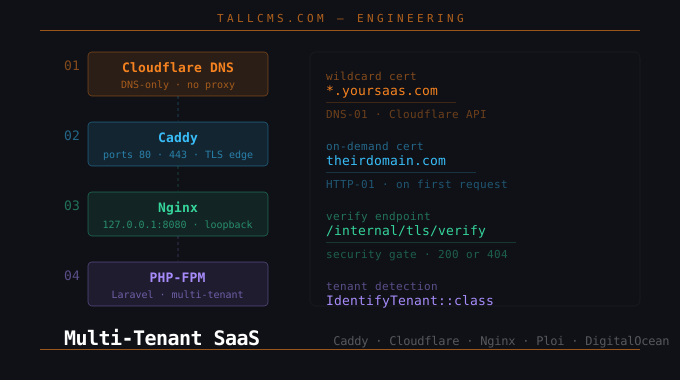
Multi-Tenant SaaS on DigitalOcean with Caddy, Cloudflare, Nginx, and Ploi
A complete, production-ready guide for Laravel developers building wildcard subdomain + custom domain SaaS products — written from a real setup session.
Multisite Setup Guide
> **What you'll learn:** How to run multiple sites from one TallCMS install — from a small in-house network of sites you own, all the way to a public self-...
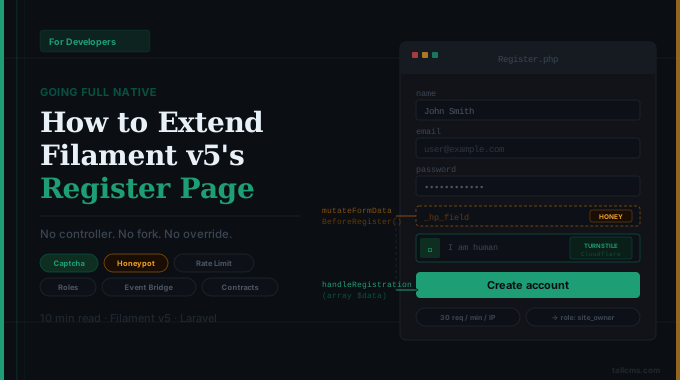
Going Full Native: How to Extend Filament v5's Register Page
Filament v5 ships a native register page. Some plugins ignore it and roll their own controller. Here's how we added captcha, honeypot, role assignment, and event bridging — entirely through Filament's documented hooks, without touching `register()` itself.
Theme Development
Complete guide for creating and customizing themes in TallCMS using the file-based multi-theme system.
Template & Widget Development
> **What you'll learn:** How to create custom page templates and sidebar widgets for TallCMS.
Theme Switcher Development
> **What you'll learn:** How the runtime theme switcher works and how to enable it in your themes.
Plugin Development
This guide covers how to develop plugins for TallCMS. Plugins extend the CMS with new functionality including custom blocks, routes, admin pages, and more.
Block Development
This guide covers creating custom blocks for the TallCMS Rich Editor. Blocks are reusable content components that content editors can insert into pages and p...
REST API Development
> **What you'll learn:** How the TallCMS REST API is architected, how to authenticate, and how to extend it.
Block Styling
TallCMS blocks use **daisyUI component classes** plus Tailwind utilities. This keeps block templates small, semantic, and theme-aware without inline style fa...
Multisite Architecture
> **What you'll learn:** How the multisite system works internally, how Site is a core model, how settings inheritance works, and how to build multisite-awar...
Plugin Licensing
> **What you'll learn:** How licensing works for TallCMS plugins and themes, what the CMS handles automatically, and how to implement your own licensing as a...
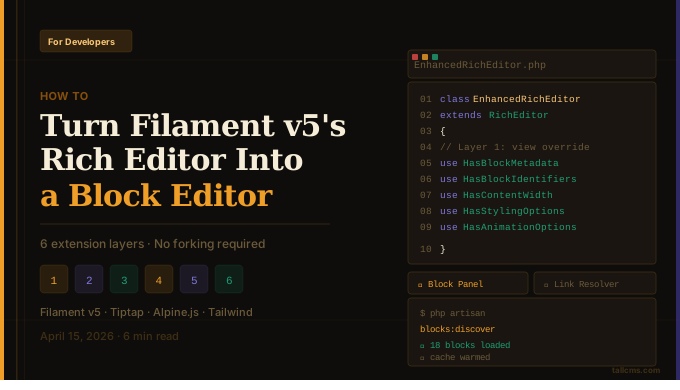
How to Turn Filament v5's Rich Editor Into a Full Block Editor
Filament v5's RichEditor is powerful out of the box. It is built on Tiptap, which means it's natively extensible, and it now supports *custom blocks out of the box . Here's how to extend it into a categorized, searchable block editor — without forking a single line of Filament core.
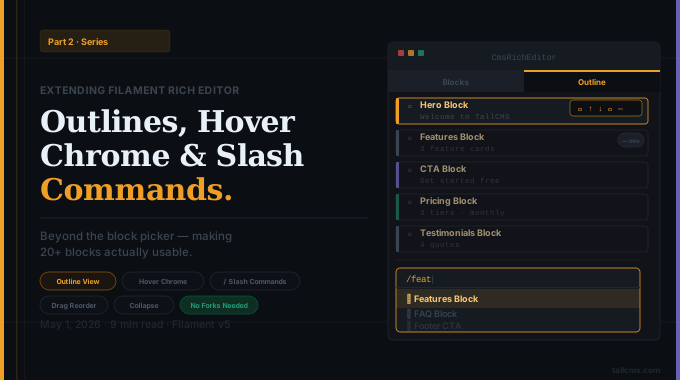
Extending Filament Rich Editor Part 2
Beyond the Block Picker: Outlines, Hover Chrome, and Slash Commands for Filament v5's Rich Editor
Filament Plugin Ecosystem
TallCMS is built on [Filament](https://filamentphp.com), a powerful application framework for Laravel. This means TallCMS benefits from **two plugin ecosyste...
Redirect Manager
> **What you'll learn:** How to create and manage URL redirects, choose the right status codes, and monitor redirect usage.
Updating TallCMS
Complete reference for keeping a TallCMS installation up to date. The steps differ depending on whether you run TallCMS as a **standalone** application or as...
Email Verification & Email Change Verification
> **What you'll learn:** How to enable Filament-native email verification — both at registration and on email change — using `REGISTRATION_EMAIL_VERIFICA...